Payouts to Trustee with subsequent withdrawal to UAH
For various reasons, SEOSPRINT does not always offer a direct method for withdrawing earned funds to the payment option a user needs. In such cases, working schemes with intermediate steps can be used.
This guide explains how to receive funds from SEOSPRINT to Ukrainian bank cards in UAH (hryvnia) via the Trustee Plus app.
The entire payout process consists of the following steps:
- A payout from SEOSPRINT in cryptocurrency to your Trustee account
- P2P exchange of cryptocurrency to hryvnia
- Crediting hryvnia to a Ukrainian bank card
If you already have the Trustee app installed and have completed verification, you can proceed directly to section 2.
1. Registration and verification in Trustee
Registration is performed using a phone number. Almost all countries are supported, except Russia.
The service officially supports users from European Union countries. Registration for users located in Ukraine is temporarily restricted. Ukrainians who are EU residents can use the service and complete verification using Ukrainian documents.
Installing and registering in the Trustee Plus app
Scan the QR code, go to the Trustee website, and click the “Download” button or select App Store / Google Play. The QR code link is a referral link. If this is unacceptable to you, download the app yourself via the app stores.
Launch the app and click the “Register / Sign in” button.
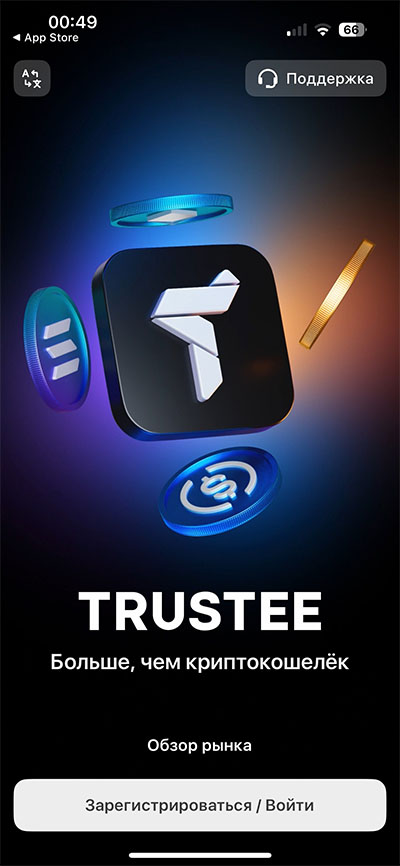
Enter your phone number. You will receive an incoming call — follow the voice instructions.
Confirm your agreement with the rules and click “Register”.
Verification process
Verification in Trustee is required to perform financial operations.
Tap the avatar in the top-left corner → tap the avatar tile again → select “Identity”.
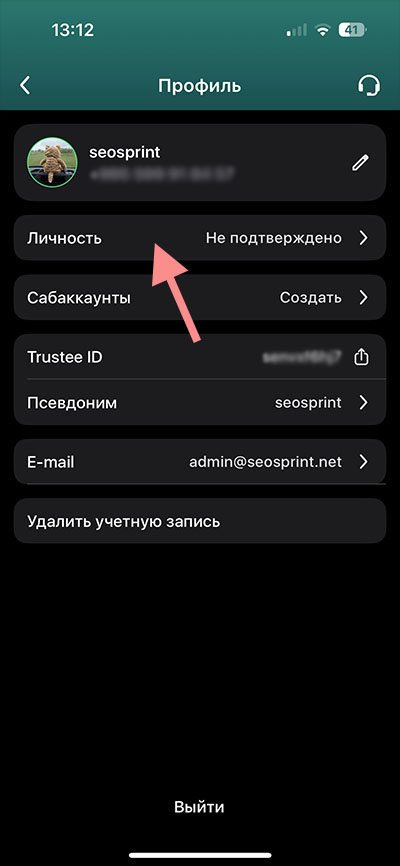
The verification procedure consists of several steps.
Step #1 – choose a document for verification:
ID card (passport), international passport, or residence permit card (if available)
Step #2 – “Source of funds” — select “Investments or cryptocurrency”.
Step #3 – “Account purpose” — you can choose any suitable option:
- Investments or cryptocurrency
- Currency exchange
- Daily use
Step #4 – “Address”:
- If you live in the EU, enter your actual residential address
- If you live in Ukraine, enter any European address (for example, Poland or the Baltic states). Fortunately, you do not need to confirm the address with documents. It is important that this is not an address in Ukraine. You can enter the address of your friends or acquaintances in European countries. Or simply any address within the EU that you can find on Google Maps.
Step #5 – take photos of the document and a selfie, following the app instructions.
After submitting the data, verification will begin. It usually takes a few minutes.
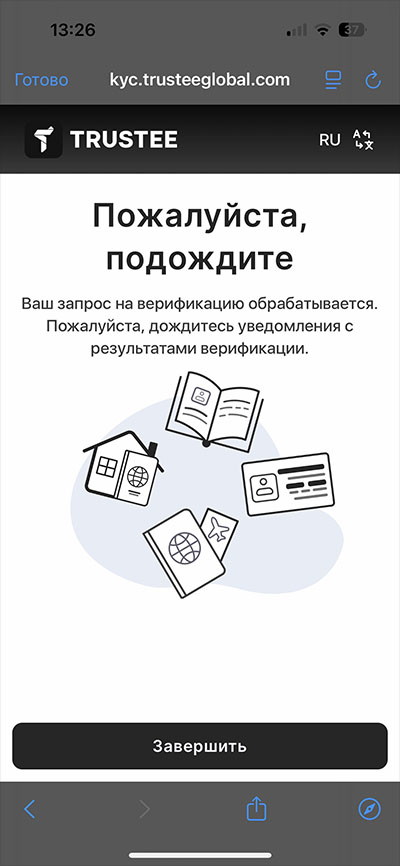
Upon successful completion, you will receive a notification confirming your identity.
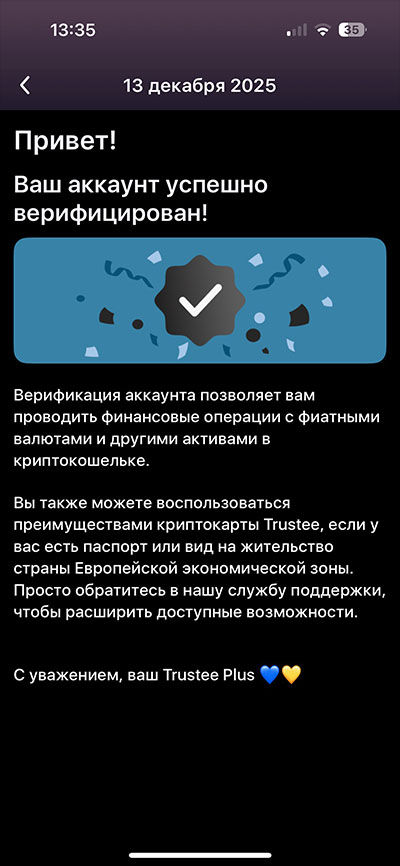
Optionally, you can set a nickname and upload an avatar.
Setting up working crypto wallets
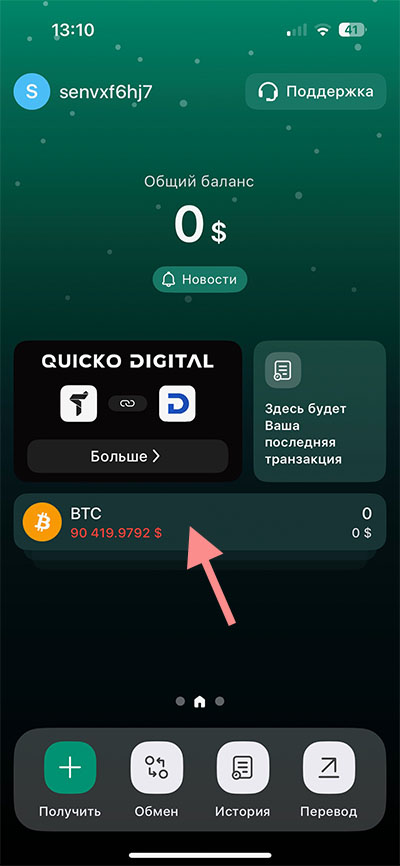
By default, Trustee creates a euro fiat account and several crypto accounts. You can change this list by removing what you don’t need and adding the crypto accounts you plan to use. To work with SEOSPRINT you will need TRX and USDT.
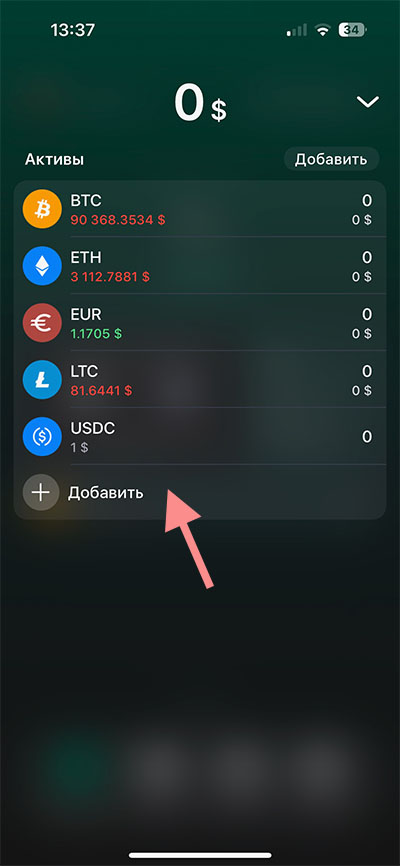
To add them, open the list of accounts by swiping up or tapping the accounts tile
Click the “Add” button.
Check USDT and TRX. Other accounts can be unchecked so they don’t confuse you. You can always add them later if needed.
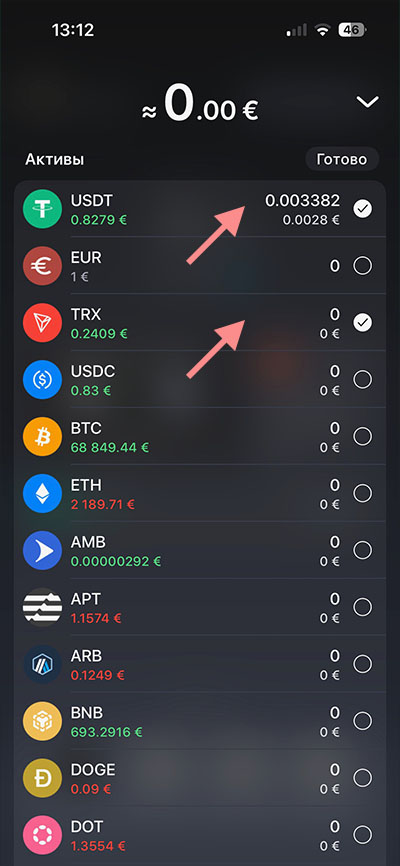
Why did we choose these accounts? We use:
TRX — to receive payouts from SEOSPRINT
USDT — for subsequent exchange to hryvnia
2. Adding payment details for SEOSPRINT payouts
Open Trustee, tap the accounts tile, and select the TRX account.
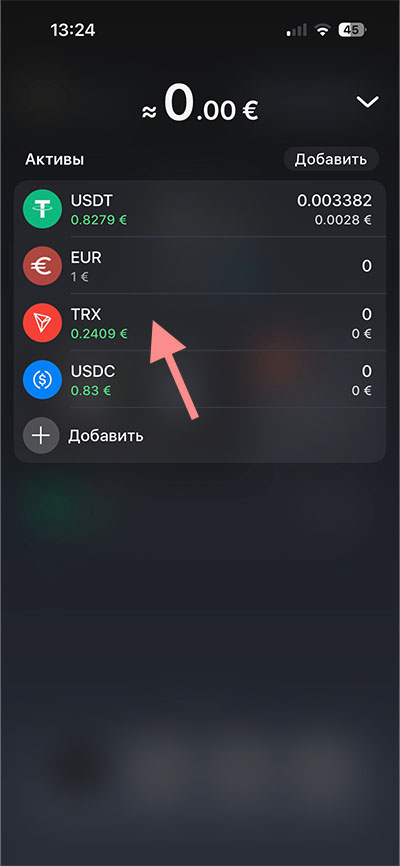
Click “Receive”.
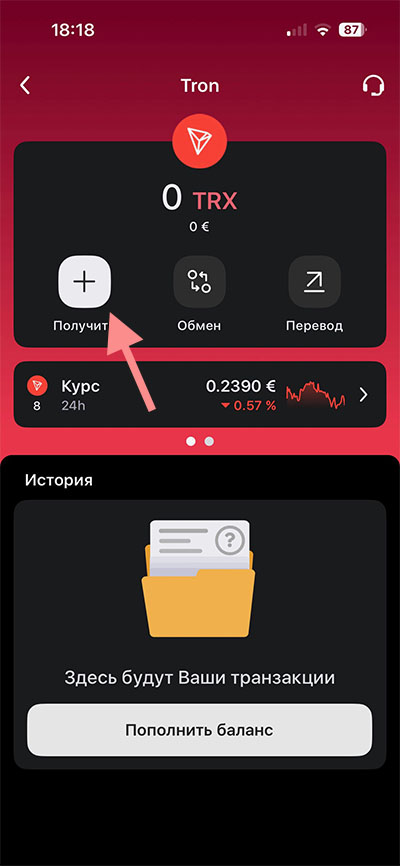
Select “By wallet address”.
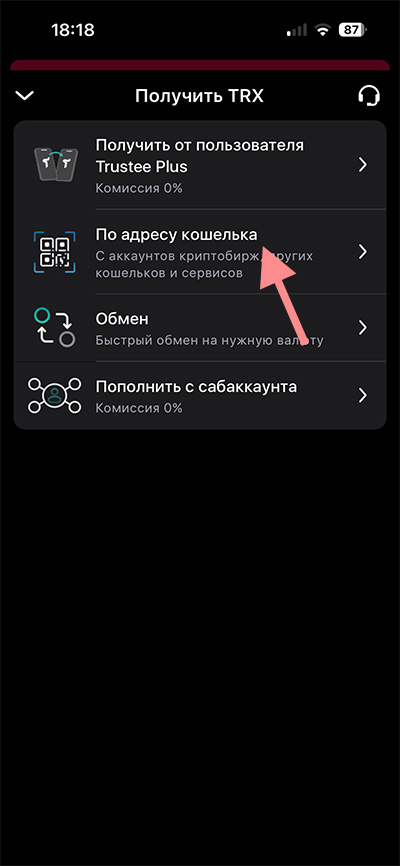
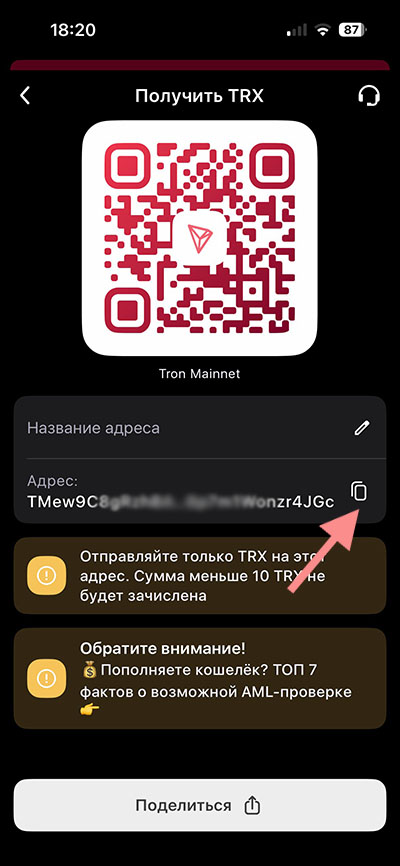
Make sure the header says “Receive TRX”, and copy the wallet “Address”.
Important: the address (account number) must be copied exactly, without any changes. We will use this address on SEOSPRINT.
Go to your SEOSPRINT account → menu “Payment details”.
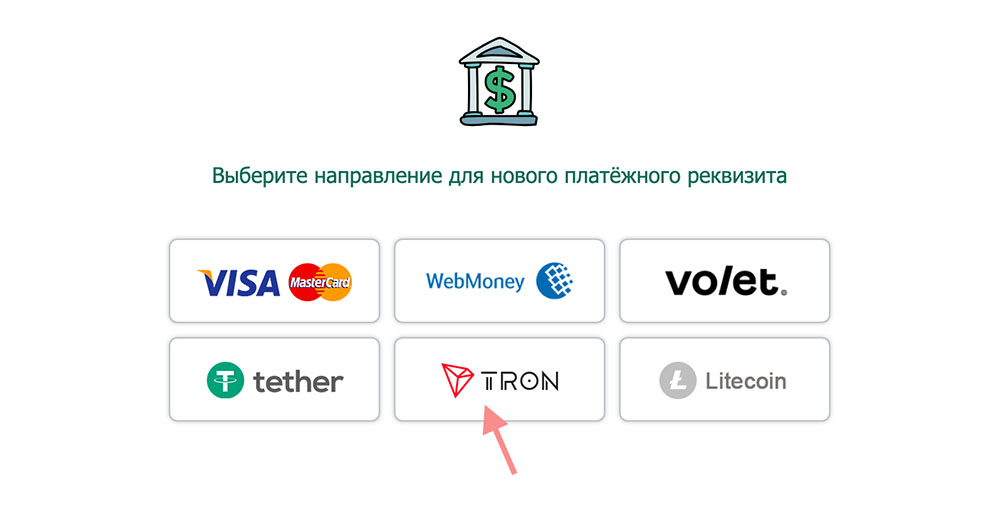
Click “Add payment details” and select Tron.
In the “Receiving address” field, paste the wallet address you copied earlier in Trustee. Be sure to compare the first and last characters to confirm the addresses are identical.
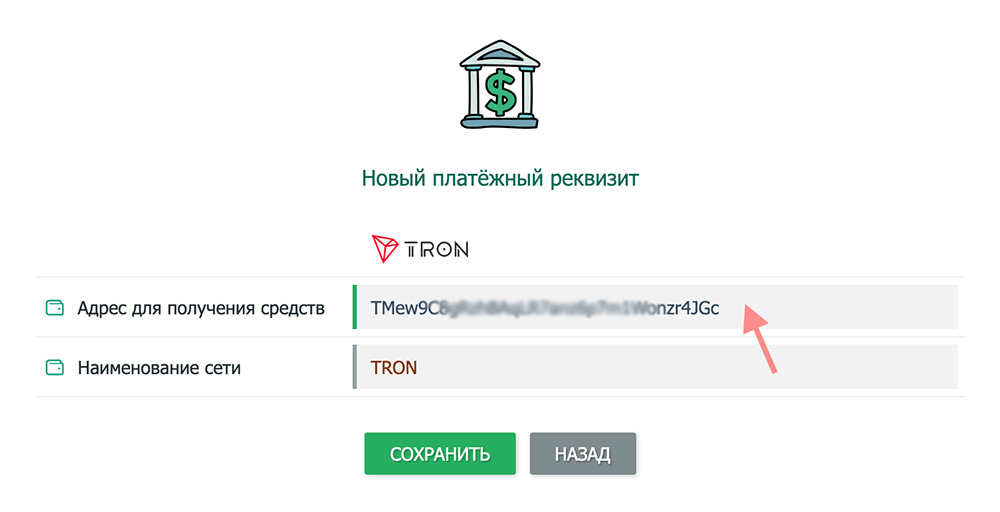
The “Network name” field must display TRON.
Save the details and confirm them via the email that will be sent to you.
This step is performed once.
3. Withdrawal from SEOSPRINT to Trustee
After you set up the Trustee app and add new payment details with your TRX wallet address in SEOSPRINT, you are ready to receive a payout. Information about withdrawal fees and the minimum payout amount can be found in the table on the payout request page, in the “Tron TRX / TRON” row
Go to the withdrawal page:
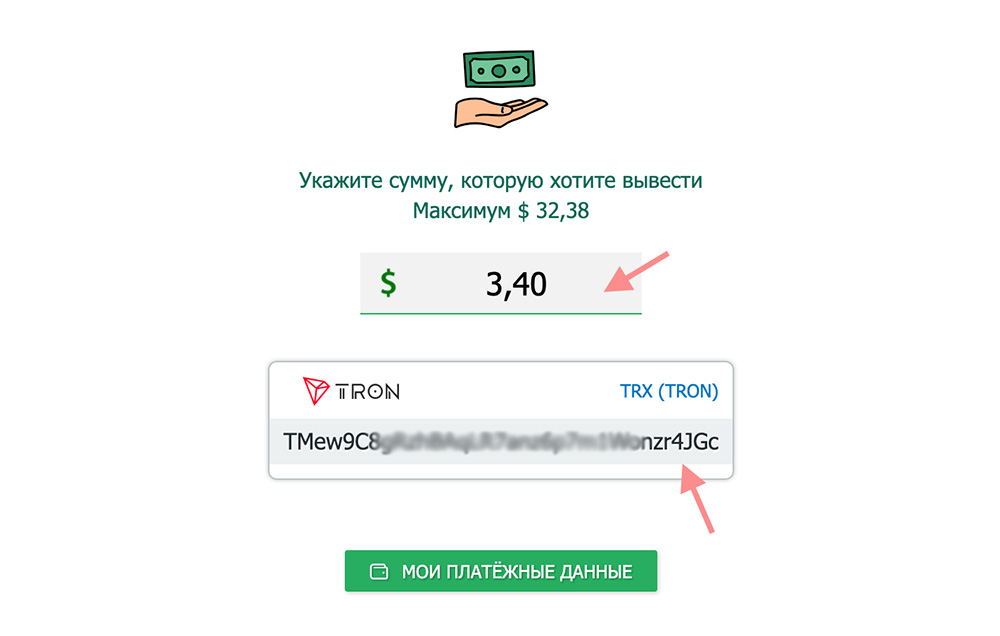
Enter the amount and select the previously added Tron payment method.
Check the details and click “Continue”.
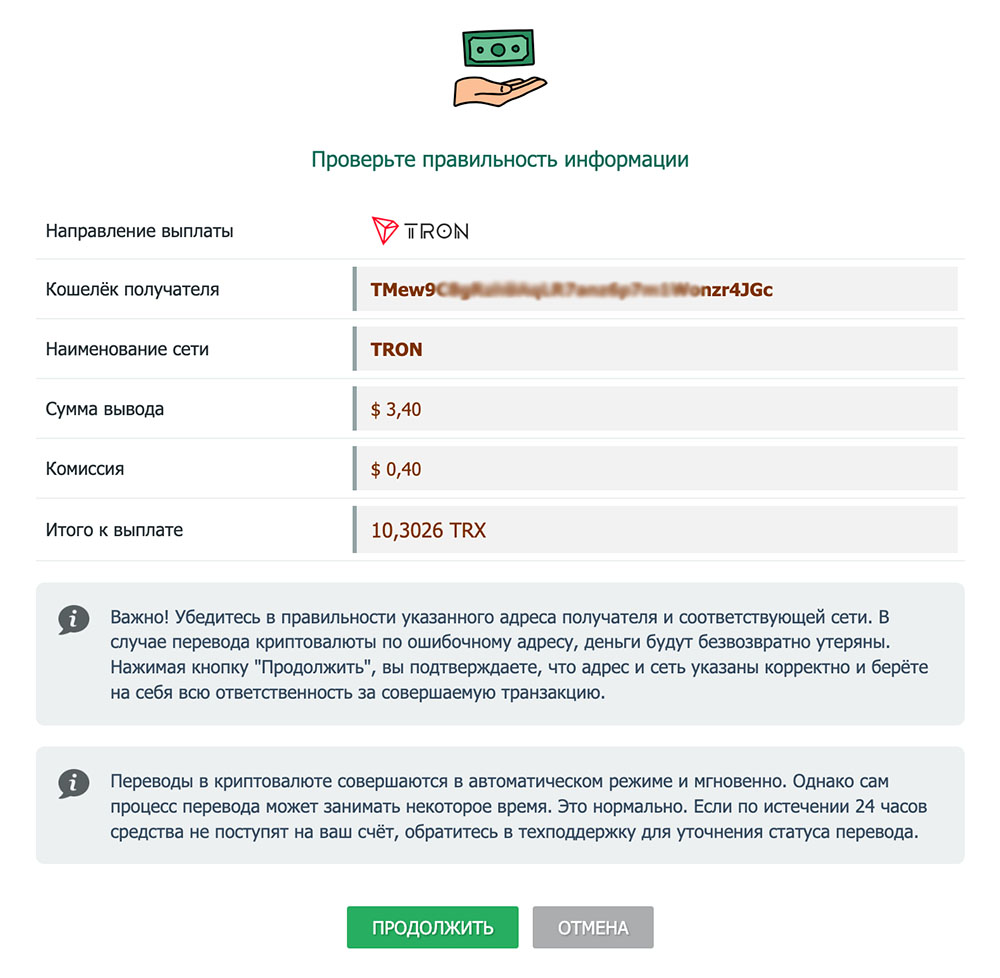 The TRX rate is floating — this is normal. Funds will be credited in the amount shown in the “Total to receive” line.
4. Receiving the payout and exchanging TRX to USDT
Open Trustee and make sure the payout from SEOSPRINT has been credited. To do this, tap the crypto assets tile and check the balance in the TRX section.
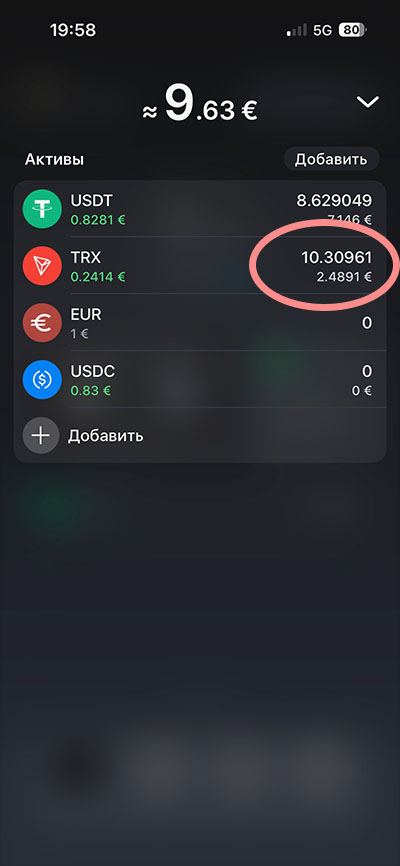
Now you need to exchange the cryptocurrency TRX to USDT (the dollar equivalent). To do this, tap the “TRX” row (see the screenshot above) and in the opened window click “Exchange”.
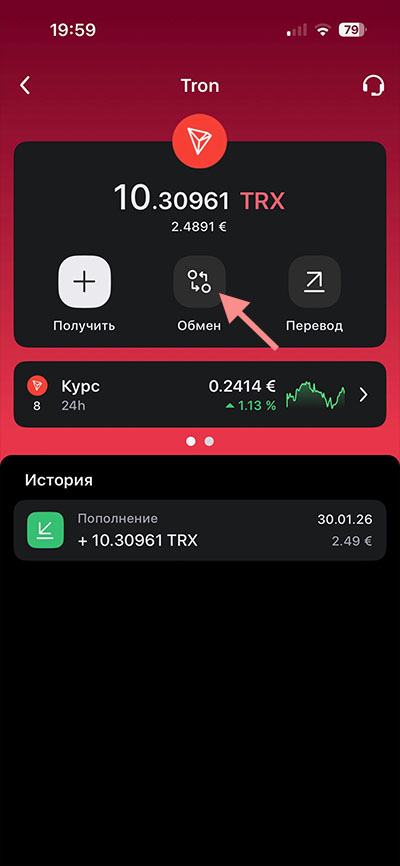
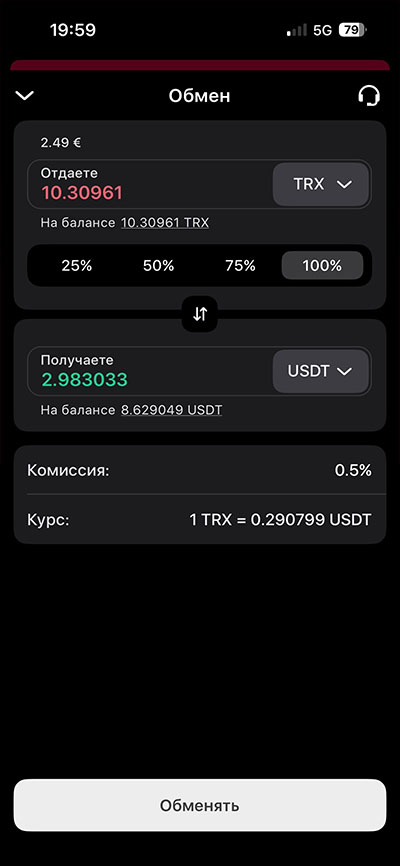
In the “You give” field, select TRX.
In the “You receive” field — USDT (do not confuse it with USDC).
Select 100% (in this case, the entire available TRX balance will be exchanged to USDT).
Click “Exchange”.
5. Exchanging USDT to UAH and withdrawing to a hryvnia card
In Trustee, tap the crypto assets tile and select “USDT” from the list.
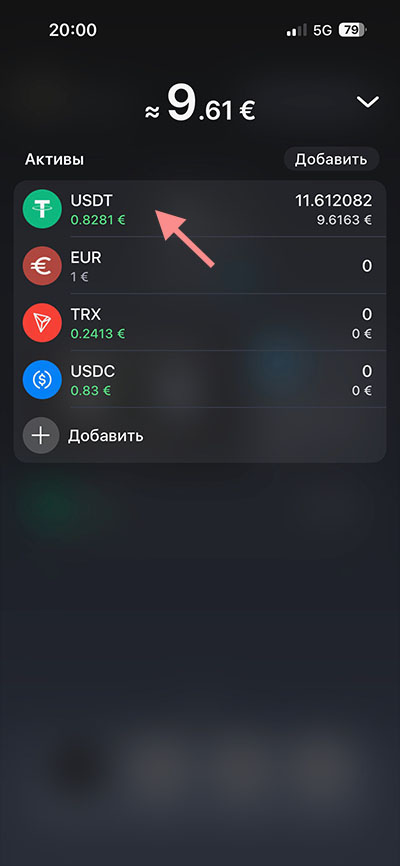
Click “Transfer”.
Click “P2P”.
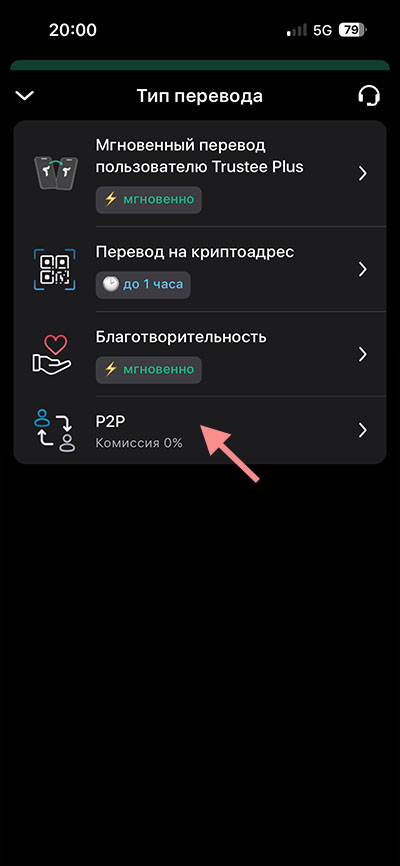
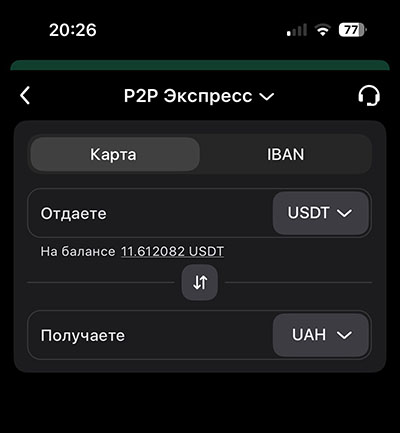
Specify:
You give — USDT You receive — UAH
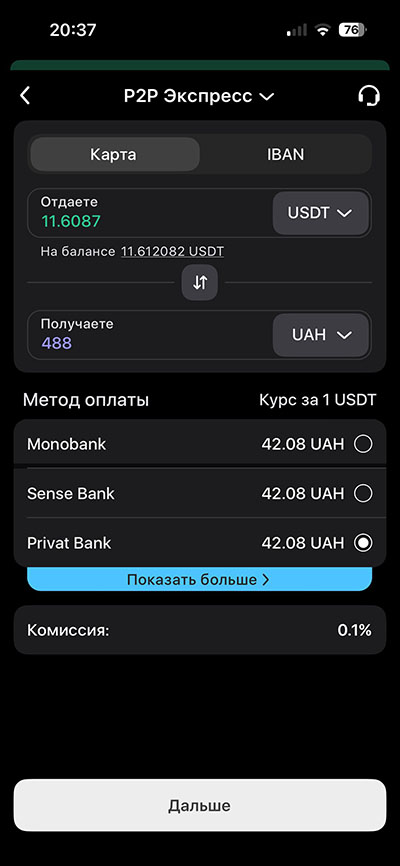
Enter the USDT amount (you can enter the full balance).
The amount in the “You receive” field will be calculated automatically at the current rate. If the final amount includes cents, it is recommended not to include them. To do this, manually adjust the amount to exclude cents and the system will recalculate it.
Select the receiving bank and click “Next”.
Enter the details of your card where you want to receive the funds (card number and cardholder’s full name)
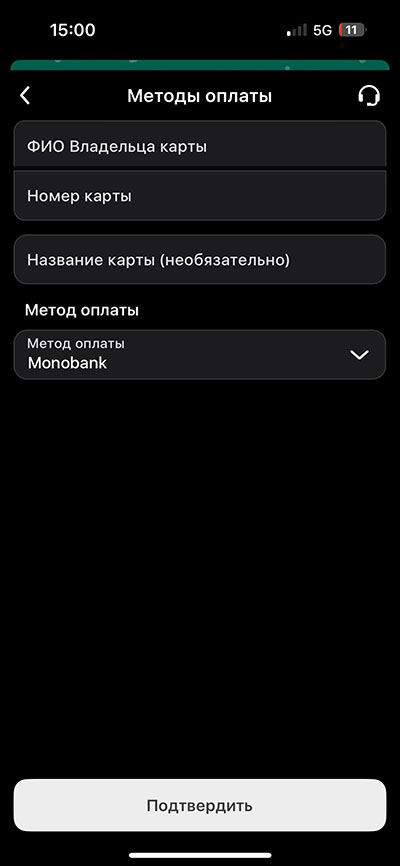
Select the card, check the details, and click “Confirm”.
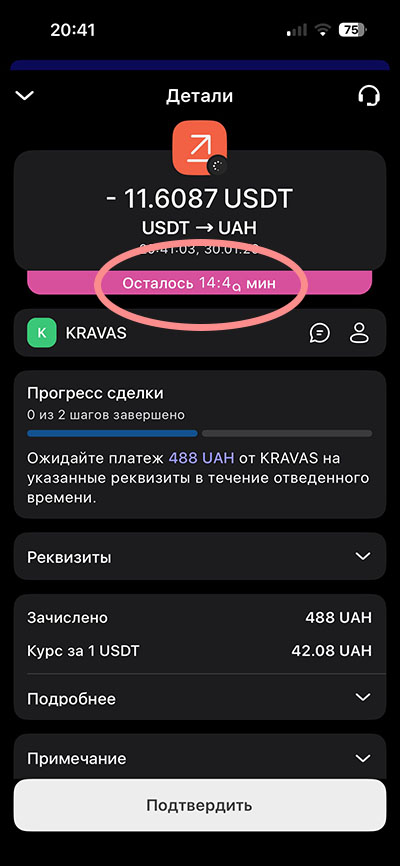
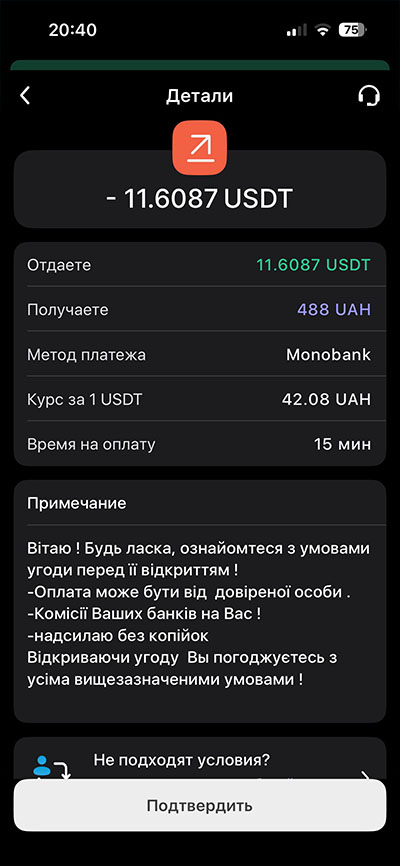 Wait for the operation to complete. The waiting process is also displayed on the screen.
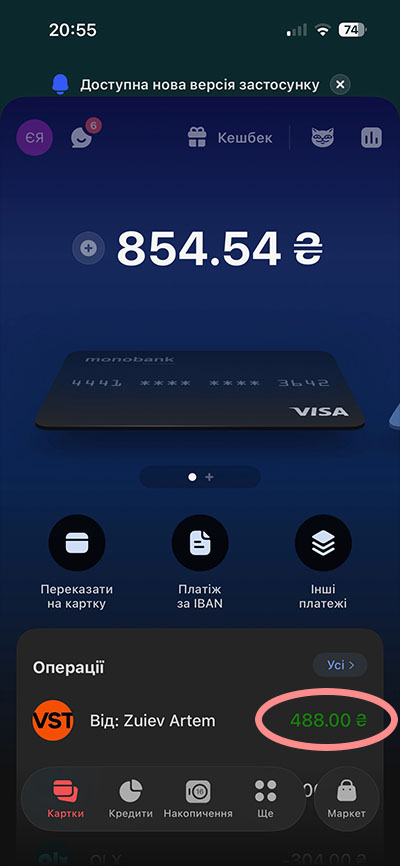
In your banking app, make sure the funds have been credited.
If the money has arrived, be sure to click the “Confirm” button. Notifying the system that the payment was successfully received is very important; otherwise, you may keep getting reminders.
Congratulations on getting paid!
Conclusion
Most actions are performed only once:
- Installing and verifying Trustee
- Obtaining a TRX address
- Adding payment details in SEOSPRINT
Subsequent payouts are completed much faster and more easily.
You can also exchange USDT to hryvnia at a more favorable rate if you master manual exchange in the P2P section instead of using automatic exchange, where you slightly overpay for convenience. In the future, Trustee may resume issuing virtual cards. This will allow you to link Trustee to your phone and pay at terminals without the need to pre-convert cryptocurrency to hryvnia.